Estimating the Centres of Nuclei
Overview
This step aims to identify the approximate centres of each of the nuclei. These will be used in a subsequent step to “seed” the complete segmentation of the nuclei, so it’s critical that the correct number of nuclei is identified. There are four different methods available in the Detection Method dropdown menu to perform this step. The output of each is slightly different, but the aim of each is the same - correctly identify the approximate location of each nucleus in the image. The exception is StarDist, which outputs a complete segmentation of the nuclei, rather than just the centres.
Simple Nuclear Blob Detector
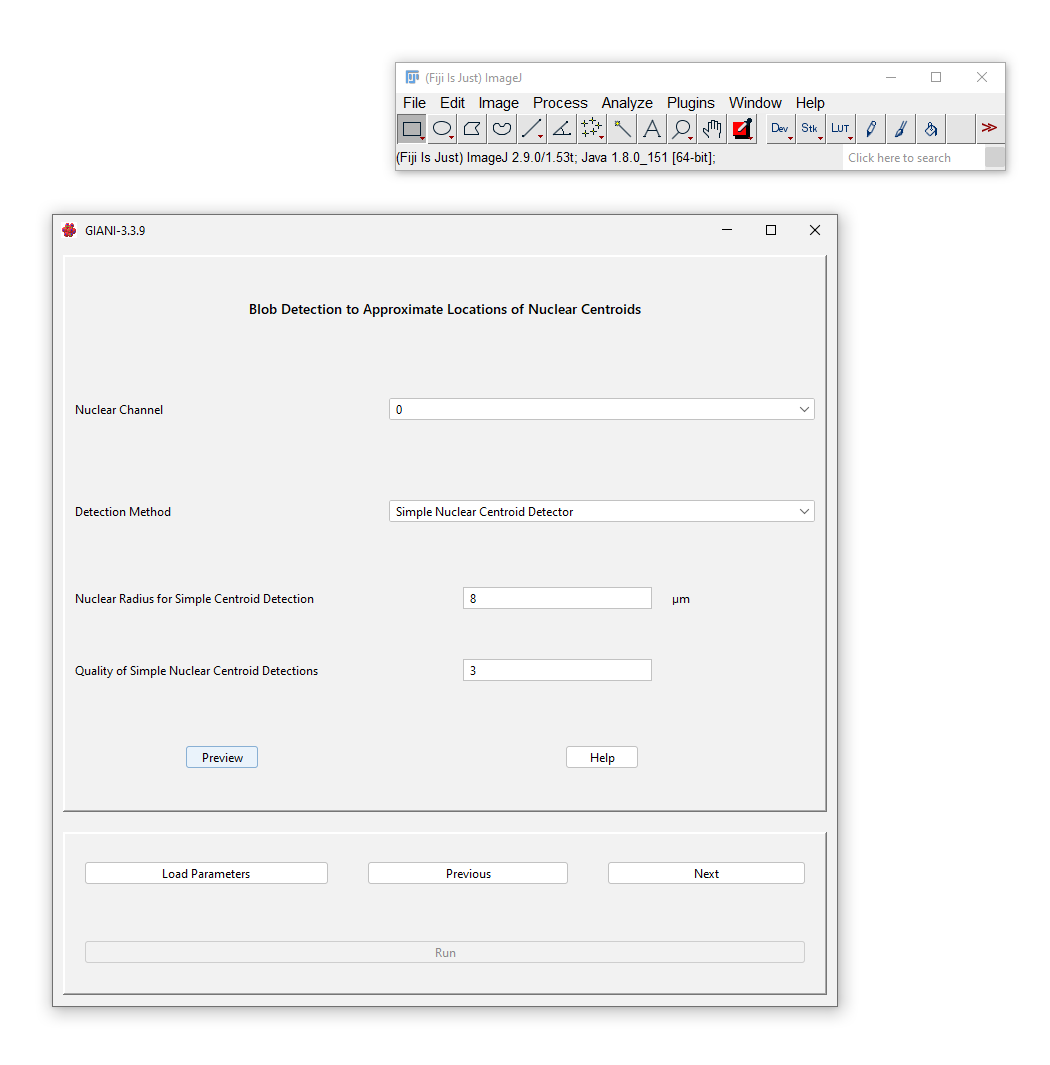
This uses TrackMate’s blob detector, which is based on Laplacian-of-Gaussian detection. It is recommended that you try this option first, as it’s fast and pretty universally applicable.
Parameters
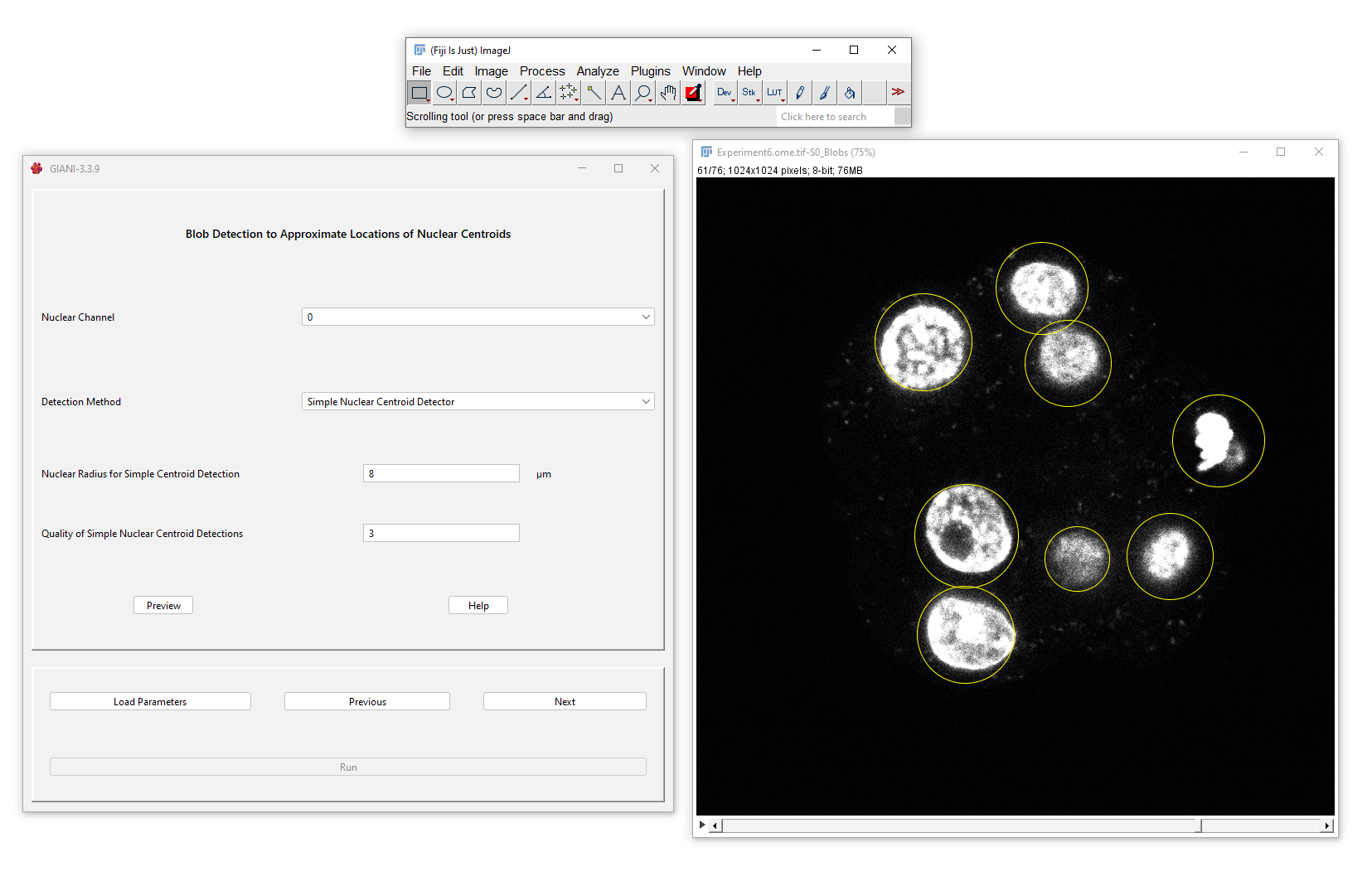
Nuclear Radius for Simple Centroid Detection: this is the approximate radius of the nuclei in microns.
Quality of Simple Nuclear Centroid Detections: effectively a noise threshold - blobs detected with a strength below this tolerance value will be removed. Increasing this value will result in fewer blobs detected. An appropriate value for this threshold depends somewhat on the intensity range in the input image, although they are not directly related. Begin with a value of between 0 and 1 (which will very likely result in artefacts being detected) and increase until only nuclei are detected.
Preview Output
The detected nuclei are circled in yellow - the centres of the circles should correspond approximately with the centres of the nuclei. If there are multiple yellow circles per nucleus, try increasing the Nuclear Radius parameter. If the yellow circles are large and encompass multiple nuclei, try decreasing the Nuclear Radius parameter.
Advanced Nuclear Blob Detector
If the simple detector fails (because, perhaps, your nuclei are different sizes), try this approach. The Advanced Detector uses a Determinant-of-Hessian approach to blob detection, based on the calculation of Hessian eigenimages implemented by ImageScience - this is similar to the detection employed by MINS. However, bear in mind that because this detector is heavily based on local image gradients, which require a reasonable-sized neighbourhood over which to calculate them, it may fail to detect small objects.
Parameters
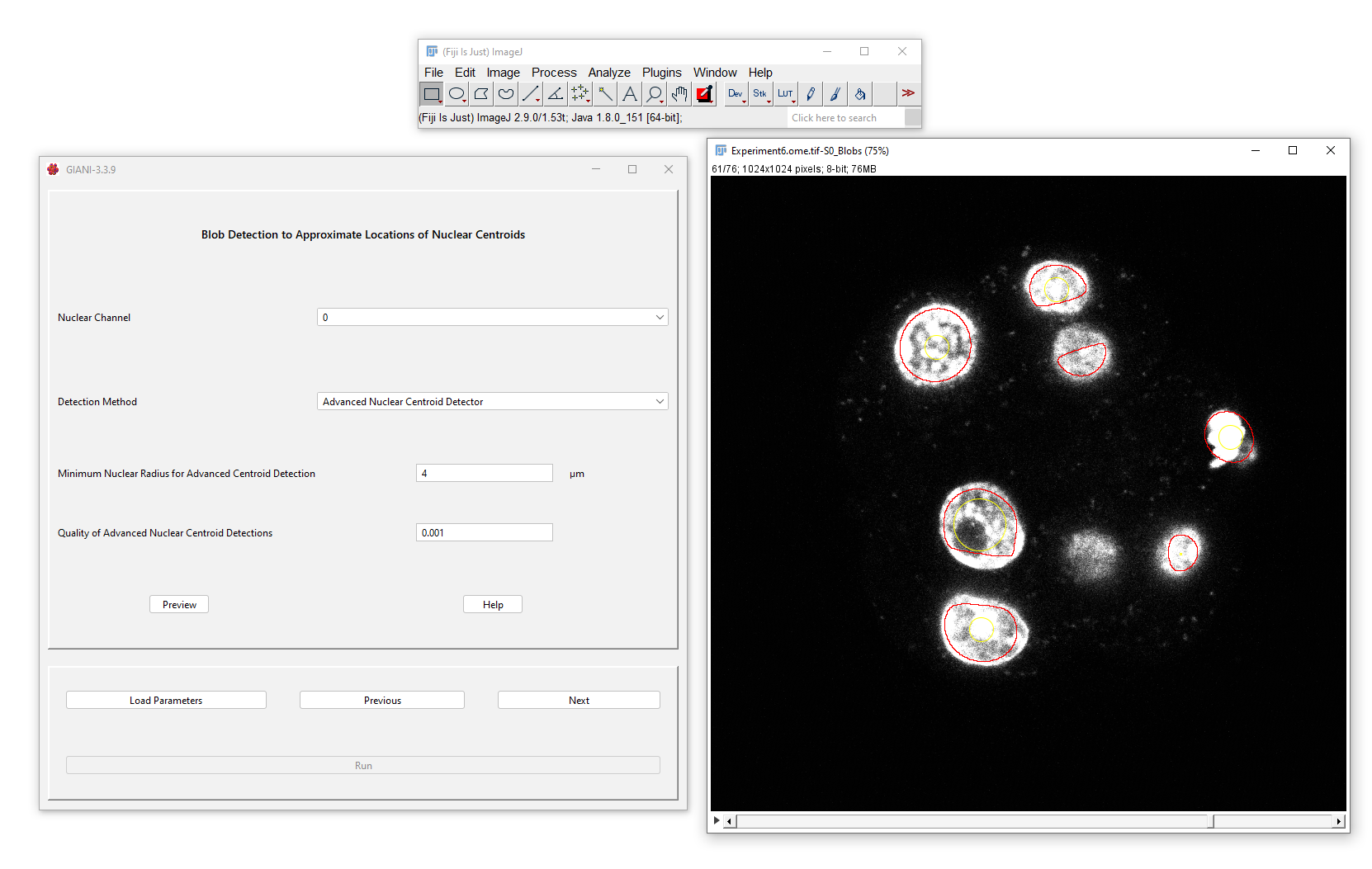
Minimum Nuclear Radius for Advanced Centroid Detection: this is the approximate minimum radius of nuclei in microns.
Quality of Advanced Nuclear Centroid Detections: similar to the threshold for the simple detector, this is effectively a noise threshold. In theory, it can be set to zero, but in practice, a small non-zero value (0.001 - 0.01) is needed to remove spurious background detections.
Preview Output
The detected regions are outlined in red, with the centres of these regions circled in yellow - there should be one yellow circle per nucleus. It doesn’t matter if the red outline does not encompass the entire nuclei - the full segmentation will be completed in a subsequent step. Try varying the Nuclear Radius parameter if too many or too few yellow circles are detected per nucleus.
Ilastik (Beta)
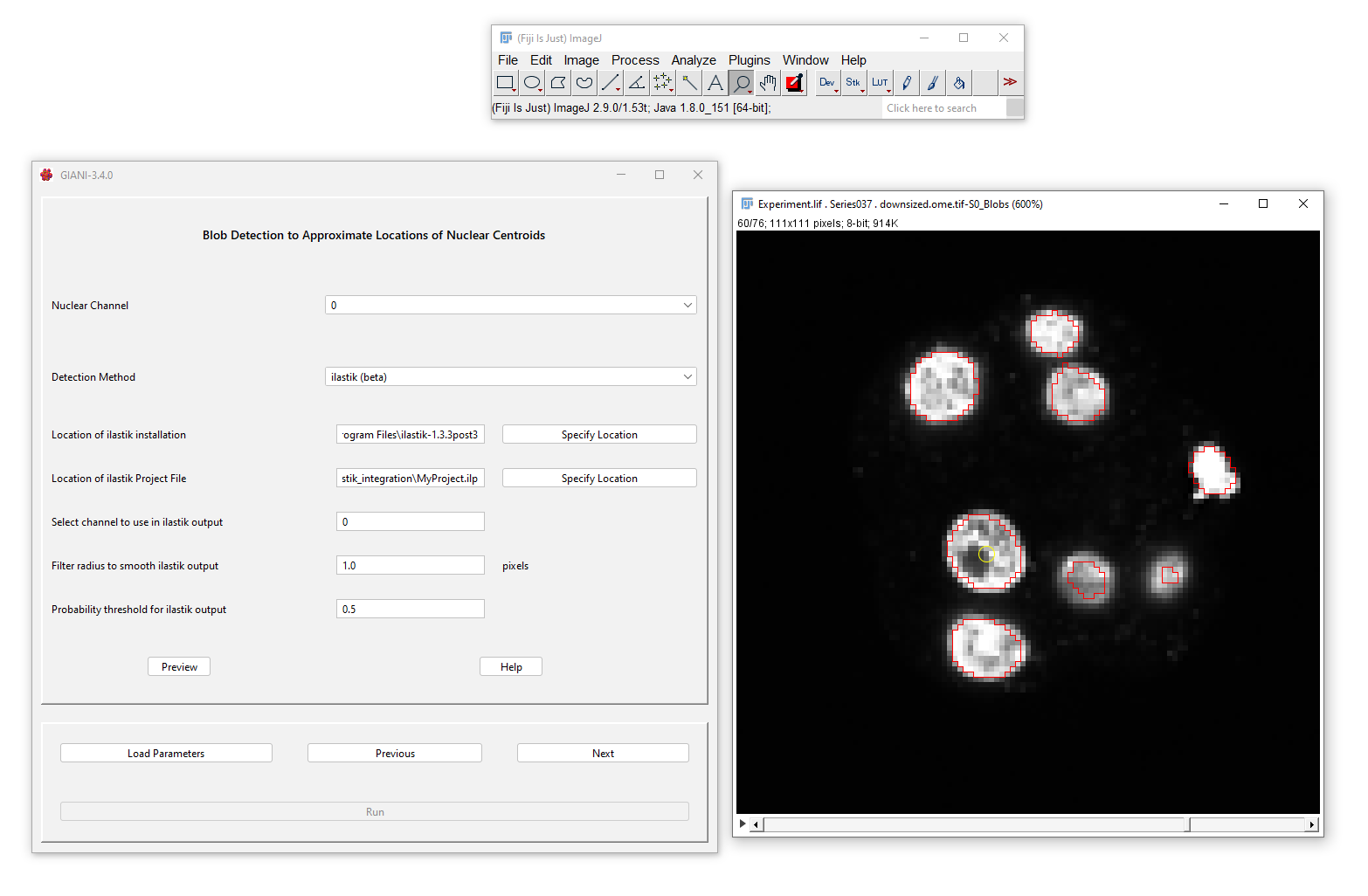
It is also possible to incorporate an ilastik pixel classification workflow. For this, you will need to install ilastik and train a pixel classifier to detect the nuclei in your images. Please bear in mind that this is a new feature and is still not quite optimised!
Parameters
Location of ilastik installation: The path to your ilastik installation
Location of ilastik project file: The path to your ilastik project file (.ilp) that defines a trained pixel classifier workflow
Select channel to use in ilastik output: The ilastik pixel classifier will produce a multi-channel output image, with each channel corresponding to a particular class in the classifier. Select the channel that corresponds to the nuclear detections.
Filter radius to smooth ilastik output: It may be desirable to smooth the output from the pixel classifier - specify a filter radius here to do so. A radius of 0 corresponds to no smoothing.
Probability threshold for ilastik output: The pixel values in the ilastik output range between 0 and 1, indicating the probability that a pixel corresponds to a nucleus. Specify a minimum probabilty value here which must be met in order for a pixel to be considered part of a positive detection.
Preview Output
The detected regions are outlined in red, with the centres of these regions circled in yellow - there should be one yellow circle per nucleus. It doesn’t matter if the red outline does not encompass the entire nuclei - the full segmentation will be completed in a subsequent step.
StarDist (Beta)
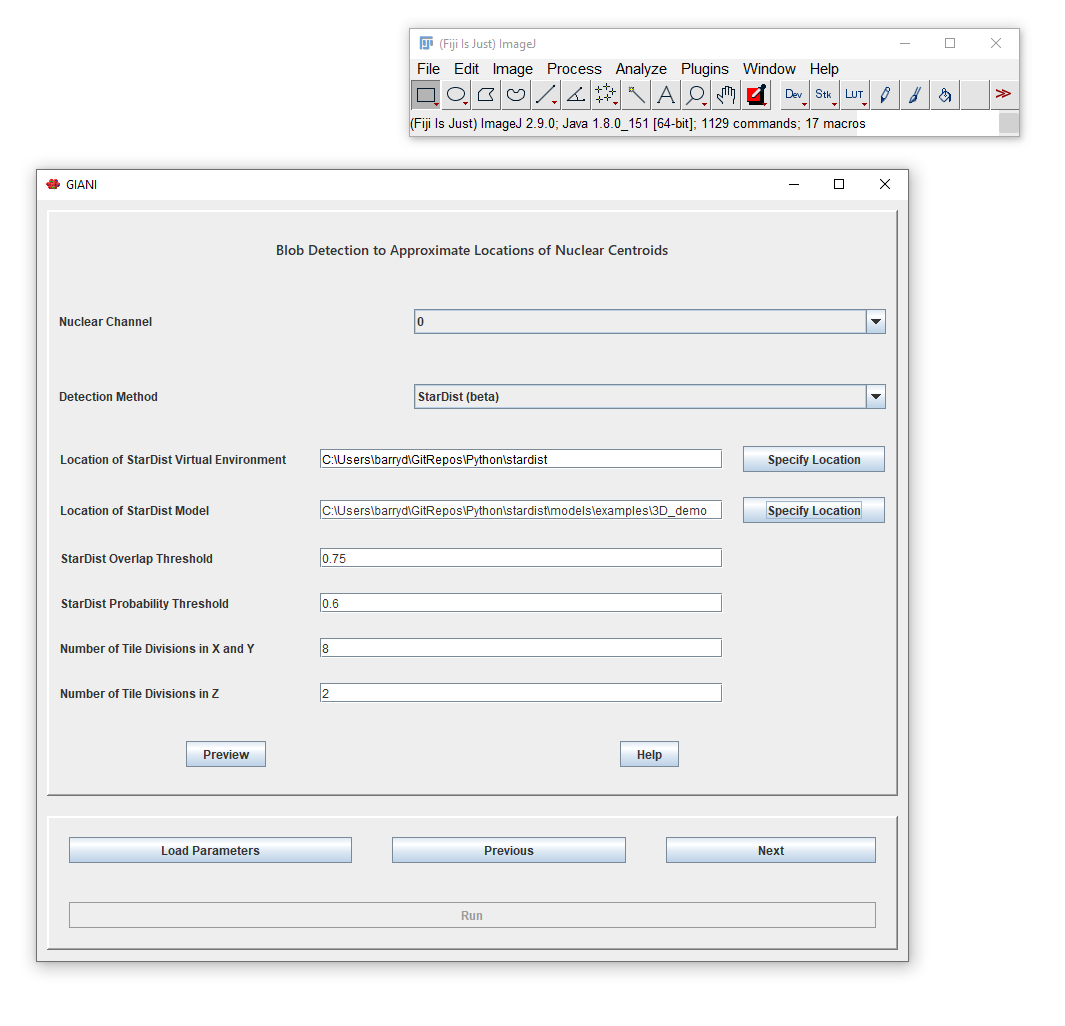
StarDist is a deep-learning based approach to detect star-convex objects in 3D images, which can be used to detect nuclei. Bear in mind that using this approach results in a complete nuclear segmentation - no further refinement in subsequent steps is possible. For more information on StarDist, see the Github repo. Please bear in mind that this is a new feature and is still not quite optimised!
Parameters
Location of StarDist Virtual Environment: The path to your StarDist Python environment. See here for information on installing StarDist.
Location of StarDist Model: The path to your trained StarDist model. This can be a model you have trained yourself or one of those distributed with StarDist, such as the example 3D_demo model.
All other parameters are specific to StarDist - see the Github repo for more information.
Preview Output
Unlike the other methods above, StarDist produces a complete segmentation of the nuclei - no subsequent steps for nuclear segmentation will be required (the next three panels in the GIANI wizard will be disabled). Skip straight to Segmenting Cells for next steps.